Compare this with other toolsSave it to your board and evaluate your options side by side.
Save to board

GetAccept Reviews & Product Details

Pricing

Pricing provided by GetAccept.

E-sign

$25.00
1 User Per Month

GetAccept Media

GetAccept Demo - Sales content management
Is your sales team missing out by not using the latest content? Equip them with a unified, user-friendly repository to quickly find and share the right content, driving buyers down the funnel.
GetAccept Demo - How GetAccept Meetings keep deals moving
Think about what usually happens after a sales call: the rep stays up late piecing together notes, trying to remember every detail, and rushing out a follow-up the next morning. With Meetings and AI, that grind disappears.
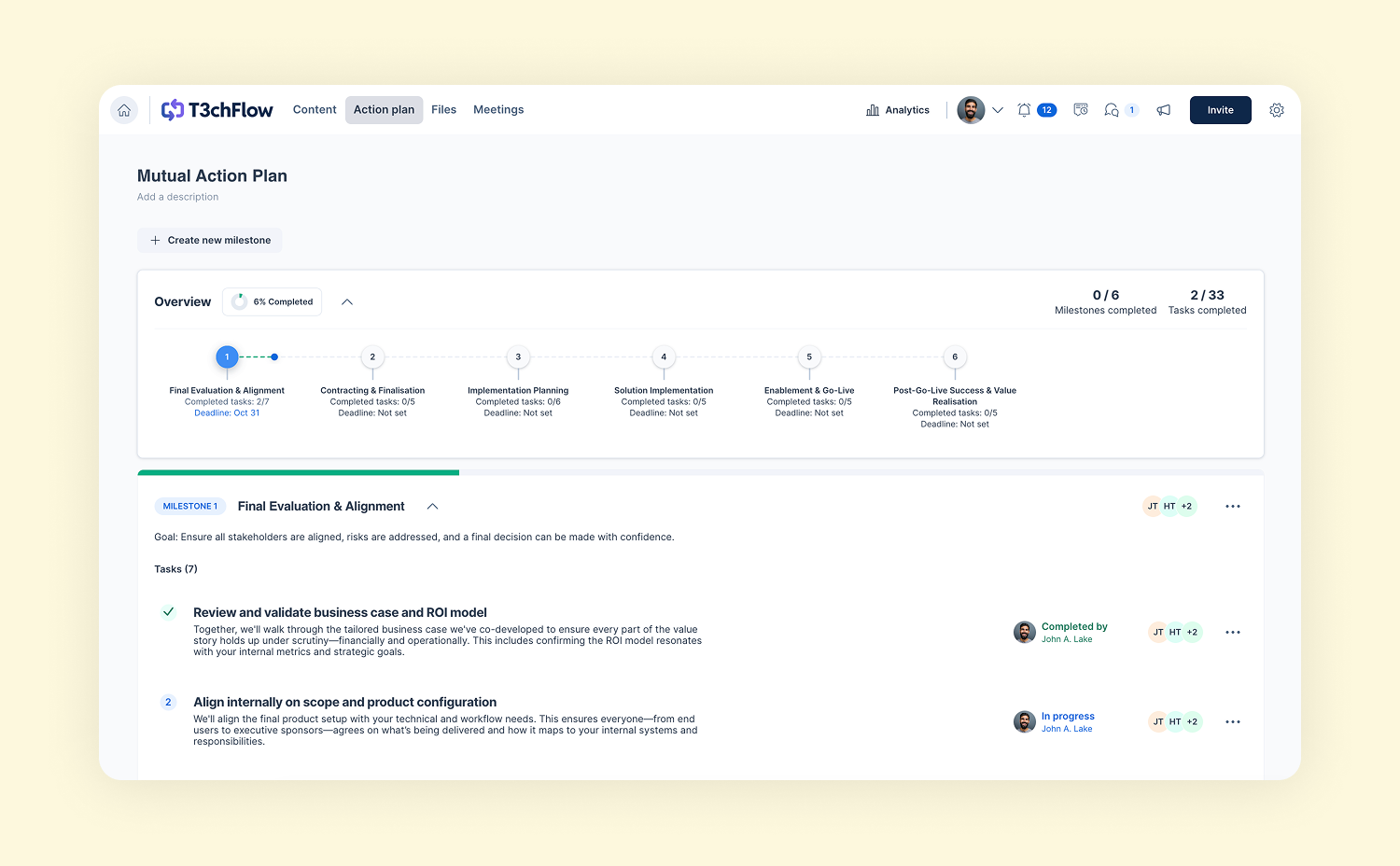
GetAccept Demo - Plan together, close together
Collaborate better with your buyers. Turn meetings into momentum with AI-powered summaries and Mutual Action Plans that drive alignment and close deals faster.
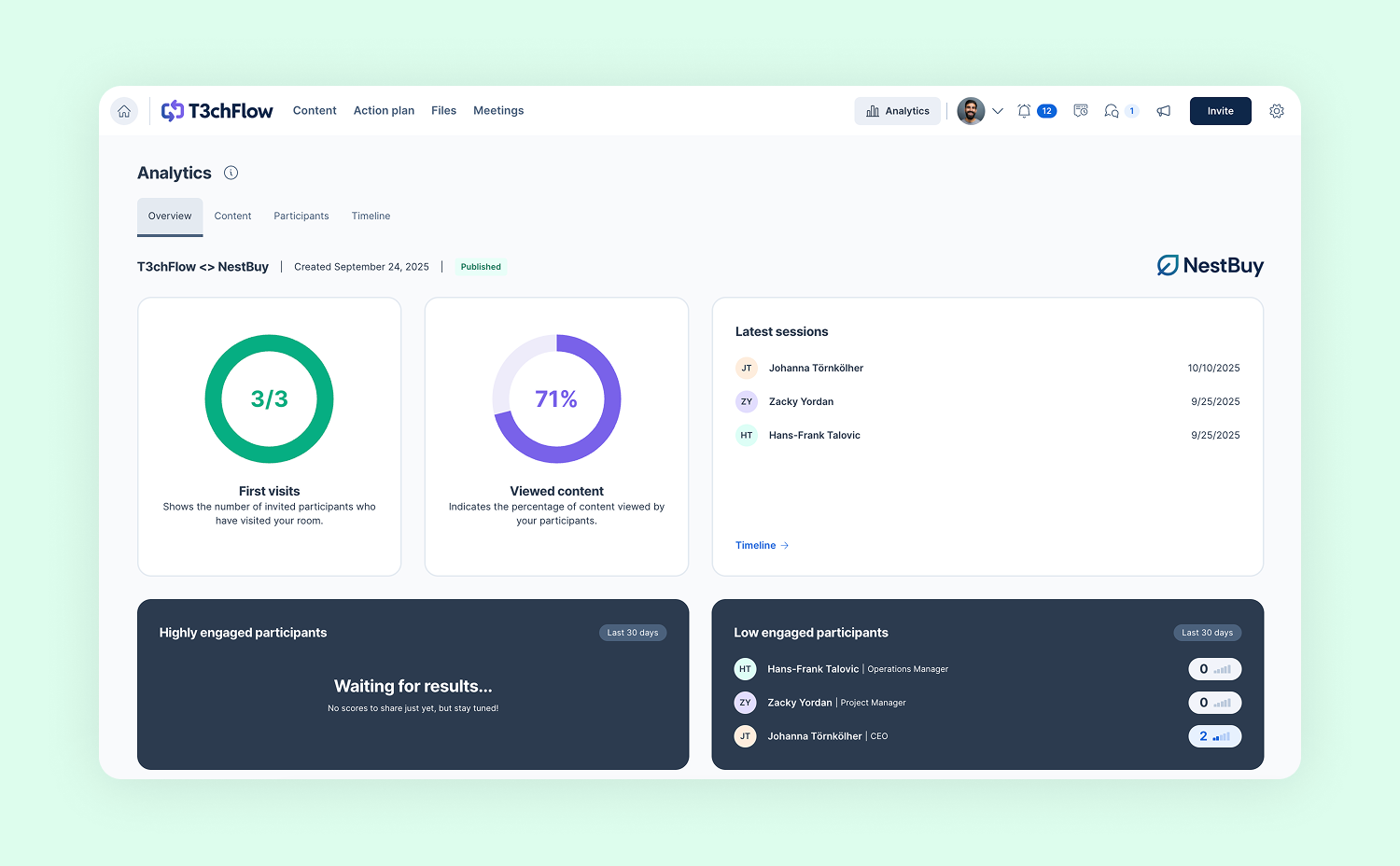
GetAccept Demo - Never miss a decision-maker
Engaging stakeholders early is key. Identify who’s involved (and who should be), understand their needs, and bring them all together in one space. Take the right actions at the right time to keep deals moving.
Play GetAccept Video
Seamlessly create, share, and track your sales proposals and contracts – without leaving your CRM. Accelerate signatures and effortlessly sync back to your Salesforce!
Play GetAccept Video
Seamlessly create, share, and track your sales proposals and contracts – without leaving your CRM. Accelerate signatures and effortlessly sync back to your Salesforce!
Create, send, and track proposals and contracts directly from HubSpot. Reduce manual work and keep everything perfectly in sync with your CRM.
Play GetAccept Video
Create, send, and track proposals and contracts directly from HubSpot. Reduce manual work and keep everything perfectly in sync with your CRM.
Play GetAccept Video
Interactive Demo
Try an interactive demo created by the software seller (right here on G2).
Product Avatar Image

Have you used GetAccept before?

Answer a few questions to help the GetAccept community

GetAccept Reviews (1,060)

View 3 Video Reviews
Reviews

GetAccept Reviews (1,060)

View 3 Video Reviews
4.6
1,060 reviews

Review Summary

Generated using AI from real user reviews
Users consistently praise the ease of use and customer support provided by GetAccept, highlighting its intuitive interface and quick setup process. Many appreciate how it streamlines document management and enhances customer engagement through features like real-time tracking. However, some users note that the platform can have a learning curve when navigating its extensive features.

Pros & Cons

Generated from real user reviews
View All Pros and Cons
Search reviews
Filter Reviews
Clear Results
G2 reviews are authentic and verified.
Ola N.
ON
Obegränsad
Small-Business (50 or fewer emp.)
"Efficient and User-Friendly Sales Tool"
What do you like best about GetAccept?

What I appreciate most about GetAccept is how user-friendly and intuitive the platform is. It’s very easy to create, send, and follow up on proposals, which saves a lot of time in daily work.

Another major advantage is the real-time insights into how recipients interact with documents—such as when they open them, how long they spend, and which sections they focus on. This provides valuable context and makes follow-ups much more effective.

I also like that everything is gathered in one place, from proposal creation to e-signature, and that the CRM integrations work smoothly. It reduces manual work and makes the entire sales process more efficient. Review collected by and hosted on G2.com.

What do you dislike about GetAccept?

Unable to keep templates

I would like automatic updates to deal versions

Easier to add columns in price brackets Review collected by and hosted on G2.com.

Martyna M.
MM
Head of Technology
Marketing and Advertising
Mid-Market (51-1000 emp.)
"Great solution for sales that makes work faster"
What do you like best about GetAccept?

GetAccept is an outstanding solution for both business and sales operations. Since my company started using it, our workflow has become significantly faster and much easier. It is a true "win-win" as it allows both our company and our customers to save time, money, and paper.

What stands out:

User-Friendly Interface: Every feature is incredibly intuitive and user-friendly. Our entire team loves using the platform!

Efficiency: Thanks to GetAccept, the process of sending, editing, and signing contracts is now a remarkably quick and seamless procedure.

Exceptional Support: A special mention must go to the GetAccept team. They are incredibly proactive and helpful, always going the extra mile to ensure we are getting the most out of the system.

If you are looking to streamline your document workflow and enhance your sales process, I highly recommend GetAccept! Review collected by and hosted on G2.com.

What do you dislike about GetAccept?

There's nothing I dislike about GetAccept for now. Review collected by and hosted on G2.com.

Thijs v.
TV
Sales Manager
Small-Business (50 or fewer emp.)
"GetAccept Streamlined Our Sales Process and Boosted Conversions"
What do you like best about GetAccept?

I really appreciate how GetAccept helped us organize our content and create a more structured sales process. The ability to set up action plans, use templates, and track analytics in the deal room has been a game changer. The integration with HubSpot is easy to use, and I like the visibility into customer engagement. The editor for contracts, the ability to pull data with merge tags, and the overall smoothness of sending contracts from the deal room are standout features. The analytics, meeting summaries, and content management make it easy to see what works and where to improve. Review collected by and hosted on G2.com.

What do you dislike about GetAccept?

One area for improvement is the chat feature, which we rarely use because our customers prefer Slack. A native Slack integration for chat would be fantastic. Also, while the AI content feature was useful, I’m not sure it’s worth paying for at this stage since we have a secure ChatGPT environment. The lack of a native chorus integration for meeting notes means we still have to copy and paste, which could be smoother. Review collected by and hosted on G2.com.

Verified User in Hospital & Health Care
AH
Small-Business (50 or fewer emp.)
"Easy Drag-and-Drop Deal Rooms, but a Confusing Component Library at First"
What do you like best about GetAccept?

The platform is very easy to use and build out the specific content within rooms using drag and drop builder and components. My company purchased the product primarily to create deal rooms (without then using any of the contract features) so I can only really comment on those features. It's good value for what it does. Review collected by and hosted on G2.com.

What do you dislike about GetAccept?

The contents/component library structure is a little bit confusing when first getting started; as well as the differences between templates and actual rooms. Review collected by and hosted on G2.com.

JN
Small-Business (50 or fewer emp.)
"Effortless Document Management with Intuitive UI"
What do you like best about GetAccept?

I use GetAccept for handling the signing of various agreements like quotes, NDAs, and employment contracts. The main benefit to my workflow is the increased speed of signing and the real-time tracking, which eliminates the guesswork of knowing if a recipient has opened a document or not. I like the ease of use and how quickly I can get documents for signing out there. The interface is so intuitive that I haven't spent one second reading instructions — it's just so easy to understand and use. It minimizes administration and the low learning curve saves time. The ease of use is as important for the recipient as it is for me. When sending NDAs or sensitive agreements, a clean and simple interface builds trust, and the fact that it's so easy for the other party to sign, without needing instructions, means I get documents back much faster and with fewer questions. The initial setup of GetAccept was very easy. Review collected by and hosted on G2.com.

What do you dislike about GetAccept?

Probably not a GetAccept issue but sometimes the email from GetAccept ends up in the recipients Junk mail-folder. Review collected by and hosted on G2.com.

Verified User in Construction
AC
Small-Business (50 or fewer emp.)
"GetAccept is great for contracts"
What do you like best about GetAccept?

Get Accept is easy to use and great for contracts. I use it several times per week to send contracts to customers. Using the contract templates I have made I can create and send a contract to a customer in approximately 5-10 minutes. It has been extremely easy to integrate into our proposal-to-contract process, and has become an extremely valuable tool for our company. Review collected by and hosted on G2.com.

What do you dislike about GetAccept?

One problem we have encountered is that contracts don't get divided into pages until all parties have signed the contract and the final document is sent to the signers by GetAccept. This has been a problem for us with one of our clients that requires that the signers initial at the bottom of each page and that each page of the contract be numbered. Review collected by and hosted on G2.com.

Response from Philip Axtelius of GetAccept

Thank you for sharing your positive experience with using GetAccept for sending contracts to customers. We're happy to hear that it has been easy to integrate into your process.

// Philip

Verified User in Professional Training & Coaching
AP
Mid-Market (51-1000 emp.)
"Highly Customisable and Flexible for Our Needs"
What do you like best about GetAccept?

The implementation is very simple. And the product is highly customisable. We can set up at the back end to make things easier for the users and keep things consistent. The automation also helps us populate the value of some fields with the information the client provides to us. This reduced some manual processes for our team. The client support is very helpful. They always respond in a reasonable timeframe. Review collected by and hosted on G2.com.

What do you dislike about GetAccept?

When an internal approver approves the document, the document cannot be edited if the client wants to make any modifications. But it's fairly common that the client wants to make further changes when they receive the document. We will need to create a new version and send the new version to the client. It's not a very smooth process. Review collected by and hosted on G2.com.

Verified User in Consumer Services
AC
Small-Business (50 or fewer emp.)
"Sales"
What do you like best about GetAccept?

GetAccept is user-friendly for everyone who needs to interact with the software. I especially love the chat feature and how quickly and easily it lets you stay in touch with a prospect through a quick message. The support we receive is phenomenal. Review collected by and hosted on G2.com.

What do you dislike about GetAccept?

It would be nice to be able to edit templates within the app. Review collected by and hosted on G2.com.

Anastasia Z.
AZ
Small-Business (50 or fewer emp.)
"Simplicity and Collaboration Shine, CRM Integration Needs Work"
What do you like best about GetAccept?

I appreciate GetAccept for its simplicity, which makes it easy for us to use as a team. The ability to collaborate and use templates is also a big plus, making it easier for us and our clients to work together effectively. Review collected by and hosted on G2.com.

What do you dislike about GetAccept?

Connection with CRM. At the moment, it's paid, and we are still a start-up, so we are saving money on it. We did try to make it simple for our clients to enter their details into the agreements with special forms. It didn't really work. So right now, we are collecting client requirements and details ourselves and only then sending the agreement for signature. Review collected by and hosted on G2.com.

Navjeet S.
NS
client service representative
Small-Business (50 or fewer emp.)
Guest users or non-business users of the software, not included in G2 scores.
"Experience using the GetAccept."
What do you like best about GetAccept?

The whole platform now feels a lot more seamless. The user interface has significantly improved, and the video introduction function has revolutionized the way my proposals seem really personal. Overall, it is more interesting now. Review collected by and hosted on G2.com.

What do you dislike about GetAccept?

There has been an improvement that I would like to highlight. The CRM sync has improved (much better now), although there are still sporadic issues that require a manual refresh (very rare).

To save a few more clicks, I would also want to see even more automation in the document creation process. Thank you, team :) Review collected by and hosted on G2.com.

Response from Philip Axtelius of GetAccept

We're glad to hear that you find GetAccept easy to use for creating and sending professional proposals with e-signatures. Our goal is to provide a seamless experience for our users.

// Philip

Questions about GetAccept? Ask real users or explore answers from the community

Get practical answers, real workflows, and honest pros and cons from the G2 community or share your insights.

Agustin G.
AG
Agustin Garcia
Last activity almost 5 years ago

How can I stop receiving emails when potential deal are opened and only received when signed?

ML
Magnus Linder
Last activity almost 6 years ago

When Will next update come?

Pricing Options

Pricing provided by GetAccept.

E-sign

$25.00
1 User Per Month

Professional

$49.00
1 user Per Month

Enterprise

Contact Us
1 User Per Month
GetAccept Comparisons
Product Avatar Image
PandaDoc
Compare Now
Product Avatar Image
Docusign
Compare Now
Product Avatar Image
Proposify
Compare Now
GetAccept Features
Custom Branding
User, Role, and Access Management
Performance and Reliability
Document Signing
Reminders and Expirations
Sign-In Process
Regulatory Compliance
Signature History and Audit
Enterprise Scalability
Alerts and Notifications
Product Avatar Image
GetAccept